
Effective AI Workflows for Coaches & Consultants
AI Strategy, Automation, Coaching, Consulting
Your AI Workflow Failed Before You Built It
How coaches and consultants can stop building impressive but useless AI workflows and start designing systems that actually serve real decisions, clients, and revenue.
The Weekend Workflow That Quietly Failed You
Somewhere in the last six months you watched someone on your team, maybe a sharp assistant, maybe a tech‑savvy associate demo an AI workflow they built over a weekend. It looked impressive. Fast outputs. Clean formatting. A tidy dashboard with arrows and tags and status labels. It felt like the future of your coaching or consulting business had just walked into the room and sat down at the table, ready to work for free.
Then you tried to use the output in an actual decision. A client email. A proposal. A deal review. A property analysis. A strategic recommendation. And you realized, line by line, that none of it was usable without a full rewrite. The structure was there. The words were there. The judgment was not. You closed the tab and quietly went back to your old way of doing things, telling yourself you would “come back and fine‑tune it later.”
That is not an AI problem. That is a judgment problem wearing a technology costume. Most AI automation mistakes in coaching and consulting look exactly like this, beautiful systems delivering work that nobody trusts enough to use as‑is. Your business ends up with the worst of both worlds: more activity, same decisions, same bottlenecks, same growth obstacles dressed up in neutral‑colored dashboards and notifications.

Automation without judgment turns productivity into organized waste your team quietly ignores.
The Real Problem Is Not the Tool
Everyone is building AI implementation for business right now. Automating content. Generating reports. Summarizing calls. Feeding leads into sequences. Drafting property descriptions. Writing follow‑up emails after discovery calls. And the tools work. That is the part that tricks people. The output shows up fast, formatted, and confident. It looks like progress because something is happening without your hands on it.
But working and useful are not the same thing. A workflow that runs flawlessly and produces unusable output is not a success, it is silently expensive. It burns your time, your team’s attention, and your trust in the very idea of AI. It makes you ask the question so many coaches and consultants whisper to themselves: why are AI tools not working for my business when everyone else seems to be winning with them?
Here is what happens in most businesses. Someone learns how to connect a prompt to a trigger to an output, and they call it a workflow. A new lead fills out a form, a call gets recorded, a deal moves stage, something fires, the AI writes, the system logs a win. But no one asks what the output needs to accomplish. No one defines what a good version of that output looks like compared to a bad one. No one identifies who is going to use it and what decision that person is making when it lands in front of them.
So the workflow runs. Outputs pile up. And the person downstream—often you—either rewrites everything or quietly stops trusting the system and goes back to doing it by hand. The AI is still “working.” The Zap is still firing. The automation report still looks healthy. But the actual work of judgment has moved right back onto your plate where it has always lived.
A mid‑size consulting firm I worked with automated their client summary reports using AI. On paper it was a winmeeting notes in, clean summaries out, sent straight to the CRM. Three months later, account managers were still rewriting every summary before client calls. The automation was running. Nobody was using it. The firm was paying for two processes instead of one—the automated version nobody trusted and the manual version nobody had time for. That is what happens when you build a system without building the judgment underneath it first. It is AI without a strategy, and it always comes due.

Every AI project forces a choice—chasing speed or committing to right.
Where Coaches and Consultants Get Stuck
The sticking point is almost always the same moment. Someone gets excited about what the tool can do and skips past what the tool should do. You see a demo of a chatbot answering questions. You see a workflow that spits out proposals in minutes. You see a call summary that looks like it listened better than you did. And before you know it, the question in your head is, “Can we automate this?” instead of, “What does useful look like here?”
That question gets skipped because it feels obvious. Of course you want faster summaries. Of course you want automated follow‑ups. Of course you want AI‑generated first drafts of listing descriptions or coaching recaps. But faster of what? Automated toward what standard? A first draft measured against what definition of done? When you skip that question, every output the system produces is a guess. And a system that guesses at scale does not save you time. It creates cleanup at scale—and that is one of the most common AI automation mistakes in expert‑driven businesses like yours.
Most people do not realize they skipped this step until three months in when the workflow is built, running, and nobody uses the output without heavy editing. By then the cost is not just the tool. It is the time everyone spent building confidence in something that was never aimed at the right target. It is the emotional cost of feeling like you “tried AI” and it did not work, when in reality you never gave it a fair standard to aim at. You built a machine without a compass and then blamed the engine for getting lost.
Chatbot vs Workflow: Why the Distinction Matters
Part of the confusion comes from treating every AI tool like the same thing. You open a chat window, type a request, and something impressive comes back. It is easy to believe that if a chatbot can answer you once, you can just string that ability into a workflow and call it a system. But chatbot vs workflow is not a trivial distinction—it is the line between a helpful assistant and a fragile process pretending to be reliable.
A chatbot is a conversation. It leans on your judgment in real time. You see its answer, feel what is off, ask for a revision, add missing context, and steer it back on course. Your brain is in the loop. Your standards are present, even if you have never written them down. That is why chat often feels helpful, even when the same model inside a workflow feels useless. The human operator is the invisible safety net that keeps the whole thing from collapsing into nonsense.
A workflow is different. Once you string the steps together, the system runs whether your judgment shows up or not. The AI never pauses to ask, “Is this good enough?” It never says, “This looks risky, maybe a human should check this one.” It simply delivers. Confidently. Repeatedly. At scale. If you have not embedded your standards into the design, the workflow is just your chatbot left alone in a room with your clients, your brand, and your revenue. That is AI without a strategy, and it is why so many business owners quietly decide that “AI just doesn’t work here.”
📌 Key Takeaway: If your AI feels helpful in chat but harmful in automation, the problem is not the model—it is the missing layer of judgment you have not yet translated into standards and steps.
The Framework: Build the Judgment Before You Build the System
1. Define What Useful Means Before You Touch a Tool
Before you open a single AI platform, sit down with the person who will use the output—not the person who wants to build the workflow. If you are a solo coach or consultant, that person is you. If you run a real estate team, it might be the agent who actually sits with the client. If you lead a consulting firm, it might be the account manager who walks into the boardroom with the deck the AI helped create.
Ask them one simple question: What does a version of this output look like that you could use without editing? Not “pretty good.” Not “I could fix this in five minutes.” Truly no editing. Write that down. That is your standard. If you cannot describe a useful output in two sentences, you are not ready to automate it. This is the first answer to “how to build AI workflows that actually work”—you aim them at a clear, written definition of useful, not at a vague hope of “better.”
💡 Pro Tip: Make your standard concrete. “A client summary I can read in three minutes that highlights the client’s goals, current obstacles, and the one decision they need to make this week.” The more specific you are, the more your workflow has a real target instead of a direction to drift toward.
2. Name the Decision the Output Supports
Every workflow output lands somewhere. A report sits in front of a manager before a meeting. A summary reaches a client before a renewal conversation. A lead score determines who gets a call this week and who waits. A property analysis shapes whether you advise a client to walk away or lean in. If you cannot name the decision, you cannot judge the output—and that is exactly why so many AI implementation for business efforts stall out in the “interesting but not actionable” zone.
Name that decision. Write it down. If the output does not directly support a specific decision that a specific person makes on a specific timeline, the workflow is producing noise. Useful AI systems serve decisions. Everything else is a demo. When you name the decision, you immediately see what the output needs to contain and what it can leave out. Scope gets tighter. Quality goes up. Editing goes down. Your team stops asking, “Why are AI tools not working for my business?” and starts asking, “What other decisions could we support this way?”
3. Set the Failure Standard, Not Just the Success Standard
Most people describe what they want the system to produce. Almost nobody describes what bad looks like. In a coaching business, bad might be generic advice that ignores the client’s actual constraints. In a consulting engagement, bad might be a recommendation that sounds confident but rests on missing data. In real estate, bad might be a property summary that glosses over a risk your client cannot afford to miss. Define it. Write out the version of the output that would cause a problem if someone used it without checking. That is your failure standard.
This matters because AI systems do not flag their own bad work. They deliver everything with equal confidence. If you do not know what failure looks like, you will not catch it until someone downstream already acted on it. When you set the failure standard, you build a filter. Every output that comes through gets measured against what cannot be tolerated, not just what is hoped for. This is how you avoid the quiet disaster of AI automation mistakes that erode trust with clients while your dashboard still says “100% success.”

One clear failure line does more for safety than a hundred vague goals.
4. Run the Workflow Manually Three Times Before You Automate It
This is the step almost everyone skips because it feels slow. You want the system. You want the magic. You want the feeling of “it just happens now.” But if you want to know how to build AI workflows that actually work, you have to be willing to walk before you automate the run. Do the process yourself using the AI tool as an assistant, not an autonomous system. Feed in the real inputs. Produce the output. Evaluate it against your useful standard and your failure standard. Adjust the prompt, the input, or the scope. Do this three times, minimum.
This is where most of the real judgment gets built. You see what the tool actually produces under real conditions with real clients, real deals, real stakes. You feel the gap between what you thought you were asking for and what the model heard. You find the holes before they run at scale. Three manual runs will save you three months of fixing a system that was never aimed correctly. And as you do those runs, you are not just testing the tool—you are training your own judgment about what this system should and should not be trusted to handle.
5. Assign One Person to Own the Standard, Not the System
Systems do not maintain themselves. Someone has to own whether the output is still meeting the standard you set in step one. This is not the person who built the workflow. This is the person who uses the output or manages the person who does. In a coaching practice, it might be you reviewing every tenth AI‑assisted client recap. In a consulting firm, it might be a senior partner checking a sample of AI‑drafted insights each quarter. In a real estate team, it might be a lead agent reviewing AI‑generated property briefs against actual client decisions.
When you assign ownership of the standard, the workflow stays accountable to usefulness instead of just uptime. The system can run forever. That does not mean it should. Without a human owner of the standard, you drift back into AI without a strategy—a set of tools humming along in the background while your real work continues to depend on manual judgment that never got translated into the system in the first place.

Direction, not tools, determines whether your automation builds or breaks trust.
The Pattern Nobody Talks About
Here is what I have seen across every business that runs AI workflows for more than six months. The ones that work are not the most technically sophisticated. They are not the ones with the fanciest integrations or the biggest automation diagrams. They are the ones where someone had the judgment to define what useful meant before anyone opened a tool—and the humility to revisit that definition as the business evolved.
And here is the part that quietly costs people the most. That judgment does not stay fixed. What useful means shifts as the business changes, as the client changes, as the downstream decision changes. The renewal conversation you were supporting six months ago is not the same as the one you are having now. The type of properties your clients are considering today are not the same as last year. The internal thresholds for risk, revenue, and capacity move. If your AI workflows do not move with them, they become beautifully automated snapshots of a business you no longer run.
The firms that keep getting value from their AI systems are the ones that revisit the standard quarterly. Not the prompt. Not the model. The standard. They ask, “Is this still the decision we are supporting?” “Is this still what useful looks like?” “Has our failure line moved?” They treat their AI workflows like living parts of the business, not one‑time projects that can be set and forgotten. The ones that skip this end up in the same place as the firm I mentioned earlier—automation running, nobody using the output, paying twice for the same work and wondering quietly, “Why are AI tools not working for my business?”
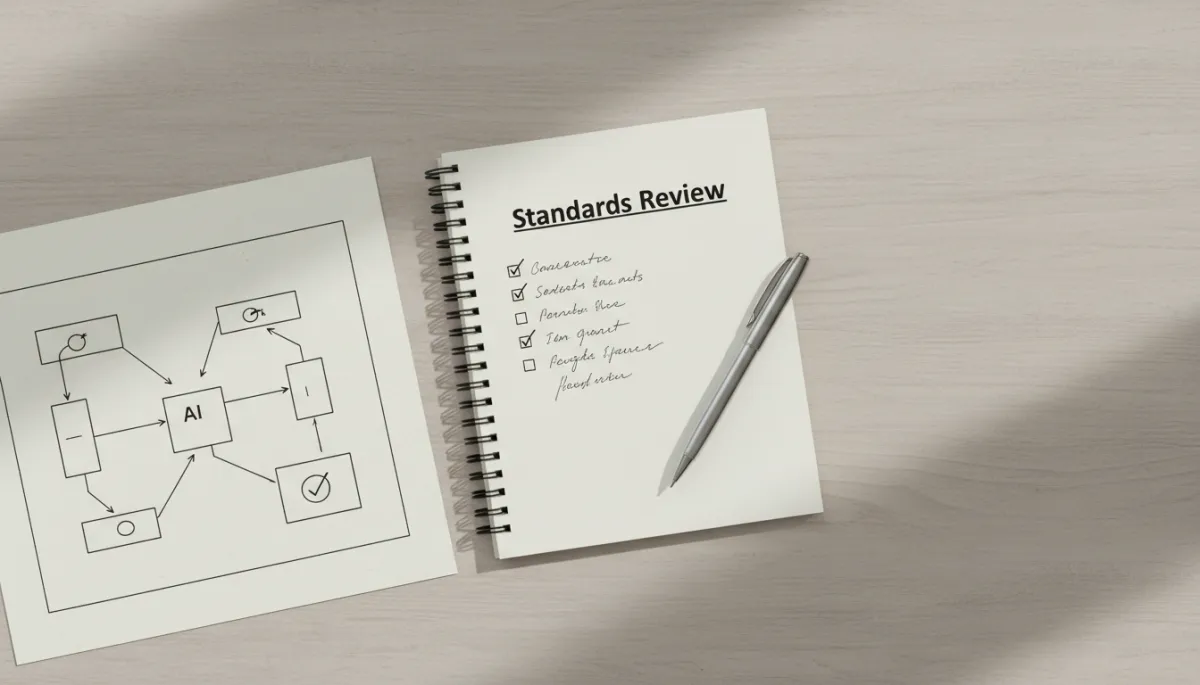
Reviewing standards quarterly keeps your workflows aligned with real decisions and risk.
The Line Between Activity and Progress
Every AI tool you touch will produce output. Activity is guaranteed. Progress is not. The distance between those two things is judgment—yours. Not the model’s. Not the platform’s. The standard you set, the decision you aimed at, and your willingness to call the output useless when it is. That is not a technology skill. That is an operator skill. It is the same muscle you use when you tell a client, “We are not making that deal,” or, “This is not the right strategy for you, even though it looks good on paper.”
When coaches and consultants fall into the trap of AI without a strategy, they mistake activity for progress. They point to the number of automated emails sent, the hours “saved,” the volume of AI‑generated content, and they hope that somewhere in all that motion, growth will appear. But growth in an expert‑driven business does not come from more noise. It comes from clearer decisions, cleaner positioning, and bolder moves made with confidence. AI can support that—but only if you insist that every workflow answer one hard question: What decision does this make easier, faster, or safer for us to take?
Bringing It Back to Your Business—And Your Next Step
Somewhere in your business right now, an AI workflow is running. Maybe it is summarizing calls. Maybe it is tagging leads. Maybe it is drafting proposals or property descriptions or coaching recaps. Maybe it is sitting half‑finished in an automation tool you have not opened in weeks because you are quietly afraid of what you will find if you look closely. Whatever it is, it is either serving a clear decision with a clear standard—or it is adding organized waste to your already crowded day.
You do not need more tools. You do not need a more complex diagram. You need a sharper line between activity and progress. Between chatbot and workflow. Between “we can automate this” and “we should automate this, and here is exactly what useful means.” The hard part was never the technology. The hard part is the judgment you bring to it—and you already use that judgment every time you guide a client through a high‑stakes decision about their money, their time, their team, or their real estate portfolio.
You just read the framework. Now think about the AI workflow sitting in your business right now. Can you describe, in two sentences, what a truly useful output looks like? Can you name the decision it supports? Can you point to the line where you would say, “If the AI crosses this, we have a problem”? If you cannot, that is the gap. That is the reason your past attempts felt like AI automation mistakes instead of leverage. And that is exactly where your next level of operational clarity lives.
In 15 minutes I can help you identify the specific judgment failure underneath your automation and give you a clear next step to fix it—whether you are a solo coach, a consulting partner, or a real estate operator trying to scale without drowning in admin. If you are ready to turn “AI that runs” into “AI that actually moves the business,” book your free Clarity Call at https://bobbyterryjr.com/.